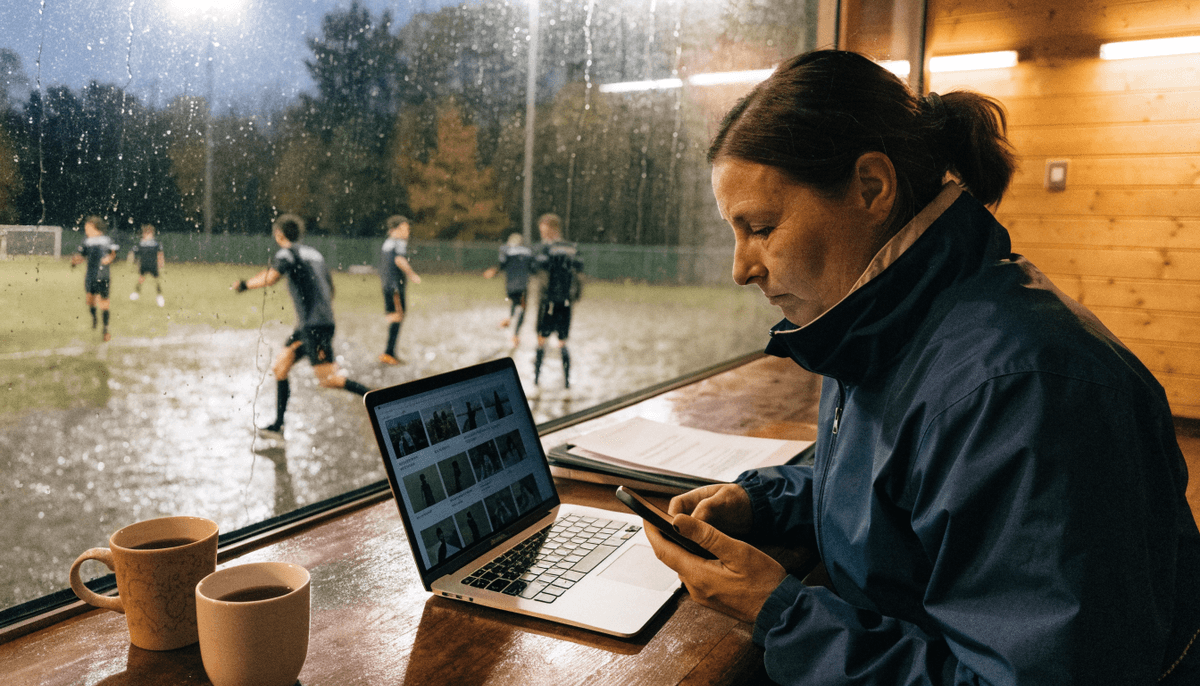
Saturday morning, under-11s, a cracking goal. Someone on the touchline gets the celebration on their phone, and by lunchtime it's on the club Facebook page with every player's first name in the caption.
It's a lovely post. It may also be a safeguarding problem, because somewhere in that celebration there could be a child whose parents never agreed to their image going public — or a child who, for legal reasons nobody on the committee knows about, must not appear online at all.
The fix isn't to stop posting. Junior football is the best content a club has, and parents love seeing it. The fix is a two-minute check before anything goes up, and a free tool that blurs the faces you can't show. Here's the whole routine.
What the FA actually says
The FA's guidance on photographing and filming children (Guidance Notes 8.3) is short and practical. The parts every club media volunteer should know:
- Written parental consent first. Before a player's photo or footage goes in the public domain — club website, Facebook, Instagram, the local paper — the club should hold written consent from a parent or carer. The FA points clubs to its annual membership and consent form for this.
- Some children must never appear. The FA calls consent "essential" partly because some children are subject to care proceedings or legal restrictions, and their image must not be placed publicly. You won't always know who they are. The consent list is how you find out without anyone having to explain why.
- No names without written consent. Don't publish a photo with a child's name unless you have written consent to do so. Avoid player profiles that pair a picture with personal detail. The FA's warning is blunt: details like school, club or favourite team can make a child easier to locate or groom.
- Never in changing rooms, showers, toilets or first-aid areas. Phones included.
- Use it only for what was agreed. A photo taken for the end-of-season presentation isn't automatically fine for a sponsor's flyer.
- Blur when you have to. The guidance specifically suggests blurring or obscuring children who haven't consented before images are posted. That's the bit this guide is built around.
- Store images securely. A protected folder with restricted access — not loose on an unencrypted laptop or someone's personal camera roll forever.
Step one: a "no-photo" list, kept quietly
Everything else depends on this. The welfare officer or each team manager should hold a simple list, drawn from this season's consent forms, of:
- Players with no consent for public images.
- Players with consent for images but not names.
Give your media volunteers the list — not the reasons behind it. They don't need to know why a child can't be shown, only who. Refresh it at registration and whenever a player joins mid-season. If nobody can confirm a new signing's consent, the answer is "not yet".
Step two: decide — post, blur, or skip
Not every photo should be blurred. Some should simply be left in the folder. A quick rule of thumb:
- Everyone in shot has consent → post it. Still keep names out of the caption unless you have written consent for names.
- A non-consented child is in the background or edge of the frame → blur them, then post.
- A non-consented child is the subject of the photo — the goalscorer, the player of the match → skip it. A blurred face in the middle of the shot looks odd, draws attention to that child, and they're often still recognisable by hair, build or shirt number. Pick a different photo.
- Team photo with one or two non-consented players → retake it without them if you can do it kindly and without fuss, or blur them. Never single a child out in front of the squad to do it.
- Anything taken in a changing room, toilet or first-aid area → delete it. No exceptions.
Faces aren't the only giveaway. A blurred face above a shirt with a name and number on the back, captioned with the team and the opponent, isn't much of a disguise. Check the whole frame.
Step three: blur it (free tools that work)
You don't need paid software. Three options cover almost everything a grassroots club posts:
For photos on a laptop: Facepixelizer. It's free, runs in the browser, has face detection built in, and says your images never leave your browser and are never sent over the network. Open the photo, let it find the faces, blur the ones on your list, download. It's honest about its limits: detection may not catch every face, especially tilted faces or people looking to the side. So always zoom in and check before you save.
For photos on a phone: Signal. The Signal messaging app has had a built-in "blur faces" option in its photo editor since 2020. Open a photo in a chat with yourself (Note to Self), tap the blur tool, let it auto-detect faces, brush over anything it missed, send, then save the edited copy. It's a slightly roundabout route, but it's free, quick and works on both iPhone and Android.
For match video: YouTube Studio. If your club posts highlights to YouTube, YouTube Studio's editor (computer only) has a Face blur option. After processing, you choose which detected faces to blur, adjust the box, and save. Two warnings: once you've saved edits in the Studio editor you can't revert to the original, so keep a copy of the raw file; and it only fixes the YouTube version — clips posted separately to other platforms need blurring before upload.
The manual fallback. Any photo editor that lets you paint a blur or drop a solid shape over a face does the job. It's slower, but it never misses a face, because you're the detector.
Whichever tool you use, the most common failure is the same: a small face in the background — a sibling behind the goal, a sub on the bench — that auto-detection didn't pick up. Zoom to full size and check the edges before posting.
One more line worth holding: don't upload junior photos to AI tools that keep or learn from what you give them. If an app wants an account and your photo library before it'll blur anything, use one of the options above instead. We covered the wider rules for AI tools in the AI agent safety checklist for grassroots clubs.
Step four: captions, tags and where it lives
- No surnames, no school, no home area alongside junior photos. First names only if you have written consent for names; otherwise none.
- Don't tag children's accounts — or parents' accounts in a way that identifies which child is theirs, unless the parent has asked you to.
- Switch off location tagging on junior posts.
- Keep originals in one club folder with restricted access, not spread across five volunteers' phones. Delete what you don't need at the end of the season.
- Live streams: the FA's advice is to restrict access to people with a legitimate interest, such as parents, keep cameras on wide-angle general views rather than close-ups, and switch chat off or watch it closely.
What about parents filming from the touchline?
You can't stop it. The FA's guidance is clear that taking appropriate photos in a public place isn't an offence, and that the FA and County FAs can't order lawfully taken spectator images removed. (On private land, the owner can set filming rules.)
What you can do is ask. A line in the parents' code of conduct — don't post other people's children, don't tag, check with the team manager first — goes a long way. Most parents simply haven't thought about it.
The one-page photo policy
If your club doesn't have a written photo policy yet, this is enough to start. Add it to the club policy pack and put it on the website where parents can find it:
- We only publish images of junior players whose parents or carers have given written consent.
- We don't publish a child's name with their image unless we have written consent for that.
- Where a child without consent appears in a photo, we blur them or don't use the photo.
- We never take images in changing rooms, showers, toilets or first-aid areas.
- We use images only for the purpose parents agreed to.
- Club images are stored in one secure, restricted folder and deleted when no longer needed.
- Live streams are restricted to people with a legitimate interest, filmed wide, with chat off or monitored.
- Concerns go to our welfare officer, [name and contact].
Then put the welfare officer's name next to it. A policy nobody can act on isn't much of a policy.
Why it's worth the two minutes
Clubs that get this right post more, not less: the volunteer stops hesitating and parents stop worrying. One last line — for anything promotional, like your club draw or a sponsor pitch, leave junior faces out entirely and use adult teams, volunteers or the clubhouse. A draw run through PlayFundWin can be promoted just as well with a floodlit first-team shot.
A consent list, a free blur tool and a short policy. Do it once this month and every post after gets easier.
Up the volunteers. Non-league — making the difference.
More from the LeaguePages blogPrefer the interactive version? Read this post in the app at leaguepages.com/blog/blur-junior-photos-club-social-media-guide — with related reads, series navigation and saved posts.